Why I Embraced Corporate Smart Ring Authentication
I spent most of my early career as a sysadmin carrying around a badge reel that looked like a heavy-duty fishing lure. It had my photo ID card, a high-frequency key fob for the server room, and a physical security key dangling off the end. Every time I stood up from my chair, the whole contraption would smack against my desk or get caught in the armrest. It was clunky, it was loud, and honestly, it felt like a relic of a bygone era. That is why the shift toward corporate smart ring authentication feels less like a minor tech upgrade and more like a long-awaited liberation for those of us working in the IT trenches.
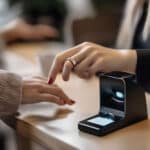
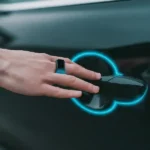
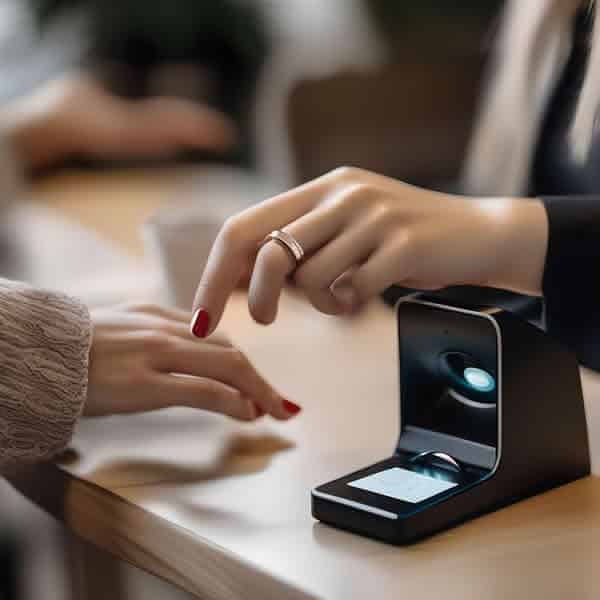
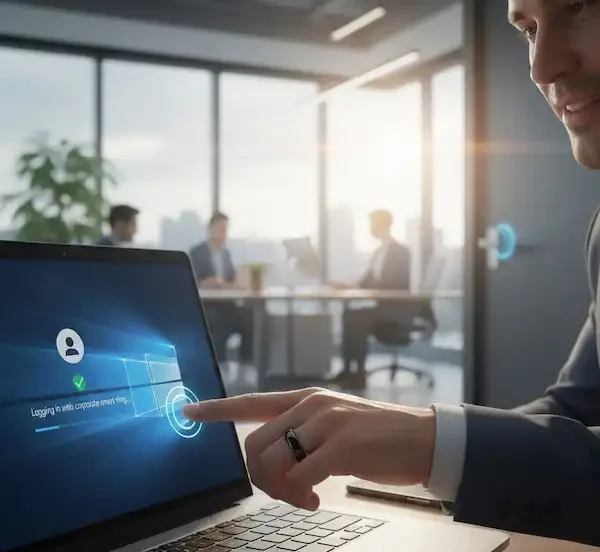
We are finally at a point where the “Bond gadget” fantasy is meeting the boring reality of enterprise security protocols. You can now walk up to an office door, tap your knuckle against the reader, and hear that satisfying click of the lock disengaging. Then, you sit at your desk, tap your ring against your laptop, and Windows Hello logs you in without you ever touching a keyboard. It sounds simple on the surface, but getting corporate smart ring authentication to work across a fragmented IT landscape requires a bit of insider knowledge and a lot of planning.
Why the Ring is Winning the Wearable War
Most people think of the Apple Watch when they hear the term wearable, but in a corporate setting, watches are often overkill and physically obstructive for some jobs. I have seen companies hand out smartwatches to employees only to find that half of them never charge the things. A ring is different because of its form factor and battery life. Specifically, the type used for corporate smart ring authentication usually falls into two categories: passive and active.
Passive rings do not have a internal battery. They use the energy from the reader itself—whether it is a door or a laptop sensor—to power a tiny internal chip. These are the gold standard for office access because they never die. You do not want an employee stuck outside in the rain because their ring ran out of juice at 2:00 AM. Active rings, on the other hand, often include biometric sensors and need a charge. While they add an extra layer of security, the logistical hurdle of charging makes them a harder sell for broad deployment of corporate smart ring authentication across a large workforce.
When we talk about corporate smart ring authentication, we are looking at the marriage of two very different technologies: NFC (Near Field Communication) for physical doors and FIDO2 (Fast Identity Online) for digital logins.
The Door Problem: NFC, HID, and the Reader Roulette
If you have ever tried to clone an office badge, you know it is a nightmare of frequencies. Most modern offices use HID readers. Some are old-school 125kHz Prox cards, which are about as secure as a screen door, while others use 13.56MHz iClass or Mifare Desfire chips. The trick to implementing corporate smart ring authentication for physical access is ensuring the ring’s antenna is tuned correctly to the readers you already have installed.
I remember a pilot program where we bought fifty rings that claimed to be NFC compatible, only to realize our office readers were encrypted iClass SE units. The rings could not talk to the readers, and we ended up with fifty very expensive ceramic paperweights. As an IT professional, you need to audit your readers before you even look at ring vendors. If your building uses encrypted high-frequency cards, you will likely need a ring that can be enrolled into your existing Access Control System (ACS). Some vendors, like HID Global, are now making it easier to use mobile and wearable credentials, but you will still need to check if your rings support the specific applets required by your system.
Logging in with a Tap: Windows Hello and FIDO2
The real magic happens when you move from the front door to the desk. This is where corporate smart ring authentication truly shines. Using the FIDO2 standard, a smart ring can act as a hardware security key. Most of us are familiar with Windows Hello, which usually uses your face or a PIN. But Microsoft also supports Companion Devices. By using a ring with an embedded FIDO2 chip, you can satisfy the “something you have” factor of multi-factor authentication (MFA) with a literal tap.
I have found that employees love this because it removes the friction of “password day”—that dreaded morning every few months when everyone has to think of a new string of gibberish. With corporate smart ring authentication, the private key stays on the ring. Even if someone “shoulder surfs” and sees you tap your ring, they cannot replicate that cryptographic handshake without the physical hardware. It effectively kills the threat of remote phishing for those specific login credentials.
Setting Up Your First Ring (The IT Perspective)
If you are the person tasked with rolling this out, I have one word of advice: sizing. In my experience, the biggest failure point in any corporate smart ring authentication rollout is not the software or the chip; it is the physical fit. Unlike a badge that you can just hand to anyone, a ring has to fit perfectly. If it is too loose, the NFC chip will not stay aligned with the reader. If it is too tight, the employee will leave it on their nightstand after three days because their finger is throbbing.
Always insist on a sizing kit. Most reputable vendors for corporate smart ring authentication will send you a box of plastic rings first. Have your employees wear the plastic test ring for a full 24 hours. Fingers swell during the day, especially after a high-sodium lunch or that third cup of office coffee, and a ring that fits at 9:00 AM might be agonizing by 4:00 PM. If the fit is wrong, the entire corporate smart ring authentication initiative will be viewed as a nuisance rather than a benefit.
The Metal Problem and Signal Interference
Another thing nobody tells you until you are in the middle of a deployment is the “metal problem.” If your employees work in an environment with a lot of heavy metal interference, the NFC signal for corporate smart ring authentication can get wonky. I once had a user who could not get his ring to work because he wore a massive tungsten wedding band on the finger right next to his smart ring. The metal from the wedding band was sucking up all the inductive energy from the reader. We told him to move the smart ring to the other hand, and suddenly, the corporate smart ring authentication worked perfectly every time.
Likewise, if you have users who wear multiple rings on the same hand, you need to test for signal collision. The antenna in these rings is quite small, and any nearby metal or other NFC chips can interfere with the data transfer. This is why many corporate smart ring authentication devices are made of ceramic or resin rather than solid gold or silver, as the material of the ring itself can act as a Faraday cage if not designed properly.
Security vs. Convenience: The Honest Truth
Let us be real for a second. Is corporate smart ring authentication more secure than a 20-character password stored in a vault? In many ways, yes. It is inherently phishing-resistant. You cannot trick someone into “typing” their ring into a fake login page. However, there are unique risks that we have to account for in our security posture.
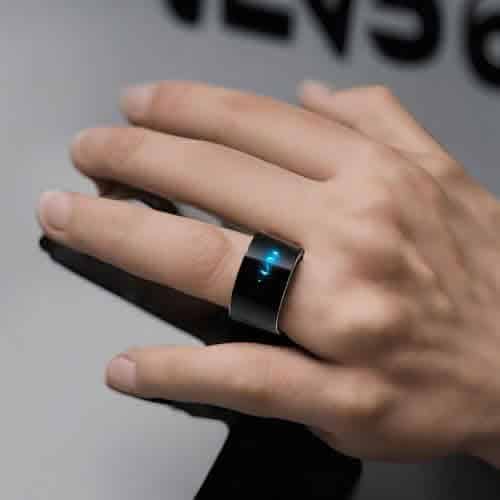
If an employee loses their ring, that is a physical security token out in the wild. Unlike a phone, which usually has a lock screen or biometric wall, a passive ring is “always on.” If I steal your ring, I can potentially tap into your office. This is why the best corporate smart ring authentication setups involve a “User Presence” test. This usually means the ring only activates its FIDO2 credential when you tap a specific spot on the ring or when it detects it is being worn via skin conductance. For high-security environments, I always recommend the rings that require a biometric, like a tiny fingerprint sensor on the side. It ensures that the corporate smart ring authentication can only be performed by the authorized user, adding a second factor to the wearable itself.
Technical Deep Dive: Protocols That Matter
When you are looking at the spec sheets for corporate smart ring authentication, you will see a lot of alphabet soup. Here is what actually matters for office use:
- FIDO2 / WebAuthn: This is what allows the ring to log you into Windows, Google Workspace, or Azure AD. It is the gold standard for passwordless login today.
- NFC (ISO 14443): This is the physical communication layer for most door readers. If your ring does not support this standard, it is not opening any doors.
- Secure Element (SE): This is a hardened chip inside the ring where your keys live. You want a ring with a dedicated SE so that the keys cannot be “skimmed” or copied by a malicious reader.
- TUP (Test of User Presence): This is a requirement for FIDO2. The ring needs a way to prove a human actually intended to log in, usually via a touch sensor.
Without these specific features, your corporate smart ring authentication strategy is basically just a fancy way to carry a link to your digital business card. I have seen some cheap rings that are really just programmable NFC stickers in a ceramic shell. Those are fine for sharing a LinkedIn profile, but they are not secure enough for enterprise-grade corporate smart ring authentication.
The Employee Experience: Selling the Cool Factor
I have found that you do not actually have to sell this to employees. Usually, once one person in the department starts using corporate smart ring authentication, everyone else wants in. It is the cool factor of not having to dig through a bag for a badge or fumble with a phone while carrying a coffee. But there are some weird social quirks you should be prepared for.
People get protective of their jewelry. Some might not want to wear a “company ring” because it doesn’t match their style. I always suggest making the program voluntary. Use the corporate smart ring authentication as a perk for the tech-forward teams first. Once the rest of the office sees how much faster the developers are getting through the turnstiles and logging into their systems, the requests will start flooding in from other departments.
Another thing I have noticed is that people worry about being tracked. I frequently have to explain that corporate smart ring authentication does not have GPS. It is not a LoJack for employees. It only talks when it is within an inch of a reader. Clearing up that misconception early is key to a smooth rollout and maintaining trust with the staff.
Managing the Lifecycle: Onboarding and Offboarding
When an employee leaves, you need a plan. With a badge, you just take it back. With corporate smart ring authentication, you cannot exactly ask for their jewelry back if it is something they purchased or if it is heavily used. This is why you must use a centralized management platform. You should not be giving the ring the keys; you should be authorizing the ring’s unique ID within your system.
When the employee moves on, you simply revoke that ID in your access control panel and your Identity Provider (IdP). The ring stays on their finger, but the corporate smart ring authentication stops working immediately. It is clean, it is professional, and it saves you from having to collect and sanitize used rings—which, let us be honest, is a bit gross. For companies that provide the rings, we usually treat them as a “consumable” item, similar to a headset. If they leave, they keep it, but it just becomes a piece of jewelry with no access.
Comparison: Rings vs. Other MFA Methods
| Feature | Smart Ring | YubiKey | Mobile App (Push) | Smart Card |
| Phishing Resistance | High (FIDO2) | High (FIDO2) | Medium | High (PKI) |
| Convenience | Excellent | Good | Medium | Low |
| Battery Needed? | No (passive) | No | Yes | No |
| Form Factor | Wearable | Keychain/USB | Phone | Wallet/Badge |
| Office Door Ready? | Yes | Limited | Yes (NFC/BLE) | Yes |
As you can see, for corporate smart ring authentication, the biggest advantage is that it is always on you. You cannot forget your finger at home. Well, hopefully not. This reduces the number of “I forgot my badge” tickets that the IT helpdesk has to deal with every Monday morning.
The Deployment Checklist
If you are ready to move forward with corporate smart ring authentication, here is a practical checklist based on my own trial and error:
- Inventory Your Readers: Walk the building. Are they HID, Mifare, or something else? Contact your security vendor to see if they support third-party NFC credentials.
- Verify Your IdP: Does your Identity Provider (Okta, Azure AD, Ping) support FIDO2? Most do, but check your licensing level.
- Select a Vendor: Look for rings with a Secure Element. Check out companies like Token or others focusing on the enterprise space.
- Order Sizing Kits: Do not skip this. Seriously.
- Pilot with IT: We always use ourselves as guinea pigs. If it works for the sysadmins, it will work for the rest of the office.
- Create a Revocation Policy: Ensure your offboarding documentation includes a step to de-authorize the ring ID.
The physical installation is usually the easiest part of corporate smart ring authentication. The hardest part is the “people” part—getting everyone sized and making sure they understand how to use the touch sensor for user presence tests. I have spent hours showing people how to “roll” their hand against a door reader because they were trying to tap the ring like a magic wand instead of getting the antenna close to the coil.
Looking Ahead: The Future of the Finger
Where is corporate smart ring authentication going? I think we are going to see more integration with payment systems. Imagine an employee who uses their ring to enter the building, log into their workstation, and then use the same ring to buy lunch in the company cafeteria. That is the “Holy Grail” of a frictionless workplace. Some companies are already experimenting with this by linking the ring’s NFC ID to the office point-of-sale system.
We are also seeing the FIDO Alliance push for better Passkey support. This means that eventually, your corporate smart ring authentication will not just be for your office laptop; it will be your login for every corporate SaaS app you use, from Slack to Salesforce, without ever needing a password manager. It moves us closer to a world where “log in” is something you do by being present, rather than something you type.
FAQ: Everything Your Boss Will Ask
Is it safe if someone steals the ring?
In a well-configured corporate smart ring authentication setup, the ring is only one factor. For laptop logins, you can require a PIN plus the ring tap. For doors, it is the same as a lost badge—you revoke the access immediately in the system database. The hardware itself contains no “plain text” passwords.
Does it track my location?
No. Most rings used for corporate smart ring authentication are passive NFC devices. They do not have a battery or a GPS chip. They only function when they are within centimeters of a specialized reader. It is physically impossible for them to track you as you walk down the street.
What happens if the ring breaks?
Like any piece of hardware, they can fail, though they are usually more durable than a phone screen. If a ring fails, the IT department simply issues a new one and updates the user profile in the access control system. Most of these rings are made of zirconia ceramic, which is incredibly scratch-resistant and tough.
Can I use my Oura or Samsung ring?
This is a common question from employees. Currently, most health-focused rings do not support the specific FIDO2 or high-security NFC protocols required for corporate smart ring authentication in an enterprise environment. They are built for heart rate and sleep tracking, not for opening HID-secured doors. You usually need a ring specifically designed for security.
How much does a rollout cost?
The rings themselves can range from $50 to $250 per user depending on the security features (like biometrics). But you have to factor in the soft costs: sizing kits, IT setup time, and potentially upgrading your door readers to support NFC if you are still on 125kHz legacy systems. It is an investment in security that pays off in reduced helpdesk tickets and higher employee satisfaction.
Is it waterproof?
Yes, almost all devices used for corporate smart ring authentication are fully sealed. Employees can wash their hands, swim, or shower without taking them off. This is a huge advantage over smartwatches which might need to be removed for charging or to avoid water damage in some cases.
Final Thoughts from the IT Closet
I have seen a lot of “next big things” come and go over the years. I remember when we thought QR codes on phone screens would be the future of office access, but they were slow, buggy, and a pain in the neck to use when your phone battery was low. But corporate smart ring authentication feels different because it addresses the most human part of security: the fact that humans hate friction.
When you make security invisible, people stop trying to bypass it. They stop propping doors open with wedges because they forgot their badge. They stop writing passwords on sticky notes because they can just tap to log in. They just wear the ring and go about their day. If you are an IT manager, my advice is to start small. Get a few rings for your power users. See how they interact with your specific door hardware and fine-tune the Windows Hello settings. Once you see the look on an employee’s face when they realize they never have to touch a retractable badge reel again, you will understand why corporate smart ring authentication is the path forward for the modern office.
It is about time we stopped carrying our keys and started wearing them. It makes the office feel a little more like the future we were promised, and it makes my job as a security professional just a little bit easier.
Additional Helpful Information
- More information about using NFC to unlock doors – How to Unlock Doors with NFC Smart Ring
- Read about the smart ring patent ban – What to Do About Your Smart Ring Patent Ban?