Using Your Smart Ring 2FA Security
Robust online security is no longer a luxury—it’s a necessity. From banking to social media, our lives are intertwined with online services, making us prime targets for cyber threats. While strong passwords are a good start, they often aren’t enough. That’s where Two-Factor Authentication (2FA) comes in, and with the rise of Smart Ring 2FA Security, securing your digital life just got a whole lot more convenient and powerful.
What is Two-Factor Authentication (2FA)?
At its core, Smart Ring 2FA Security adds an extra layer of security beyond just your password. It typically requires two distinct “factors” of authentication before granting access. These factors usually fall into three categories:
- Something you know: Your password, PIN, or a secret question.
- Something you have: A physical token, a smartphone (for an SMS code), or in our case, a smart ring.
- Something you are: A biometric identifier like a fingerprint, facial scan, or iris scan.
By requiring a combination of these, 2FA significantly reduces the risk of unauthorized access, even if your password is stolen.
💍 My Smart Ring: The Secret Weapon for Effortless Online Security
Let’s be real: I used to hate two-factor authentication (2FA). Every time I logged into my bank or email, it was a frustrating dance—enter password, grab my phone, wait for the text, switch apps, type the six digits, and pray I didn’t time out. It was a chore, and honestly, sometimes I’d skip the 2FA setup just to save myself the hassle (I know, I know—bad idea!).
Then I started wearing a smart ring. Initially, it was just for tracking sleep and steps. But then I discovered its security features, and my entire digital life got an upgrade. Now, my Smart Ring 2FA Security is the most convenient and secure “key” I own.
The Old Way vs. The Ring Way
We all know 2FA is our best defense against hackers. If they steal your password (the “something you know”), they still need the second factor (the “something you have”). But that “something you have” used to be a pain:
| The Old 2FA Pain Points | The Smart Ring Solution |
| Waiting for the SMS text that never arrives. | Zero waiting. A simple tap or gesture. |
| Having to carry a separate hardware key/dongle. | It’s already on my finger! No extra bulk. |
| The risk of SIM-swapping attacks (scary stuff!). | The physical ring is miles safer than a text message. |
My Favorite Way to Log In: The Tap-and-Go Method
The coolest feature, and the one I use daily, is the Tap-to-Authenticate.
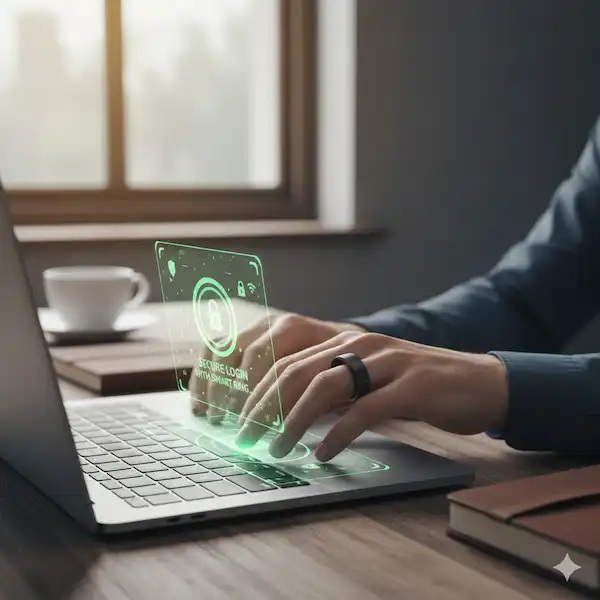
I have one of those Smart Ring 2FA Security with Near Field Communication (NFC) built in. I use it as my security key for my Google account and my work VPN.
Here’s how it feels in real life:
- I type my password on my laptop.
- The screen pops up, asking for my security key.
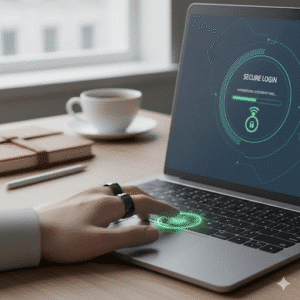
- Instead of digging through my bag for a tiny USB drive, I just hold my ring finger right over the corner of my laptop keyboard (where the NFC reader is).
- Click. I’m in. It takes literally one second.
It’s completely seamless. It feels less like a security measure and more like a superpower. Seriously, once you try logging in this way, going back to typing codes feels barbaric.
Beyond the Tap: Next-Level Ring Security
My ring doesn’t just tap; it’s smart enough to know it’s me.
Example 1: The Biometric Whisper
I remember reading about a smart ring that checks your heart rate or blood oxygen pattern as part of its security check. That’s a true “something you are” factor. If I lost my ring, someone else couldn’t put it on and log into my bank account because it wouldn’t recognize their unique biometrics. That peace of mind is priceless. It’s like having a little personal security guard right there on your hand.
Example 2: The Proximity Unlock (My Favorite Trick)
This is pure convenience. I set up my phone and computer to stay unlocked as long as my Smart Ring 2FA Security is nearby. If I step away from my desk to grab a coffee, my laptop locks instantly because the ring’s signal is gone. When I sit back down, it unlocks itself. No passwords, no fingerprints—just the magic of proximity. It’s security that actually makes my day easier, not harder.
Getting Started: From Skeptic to Smart Ring Fan
If you’re ready to upgrade your security (and convenience!), here’s the quick-and-dirty guide I followed:
- Do Your Homework: Check if the smart ring you’re eyeing supports FIDO U2F or WebAuthn. These are the industry standards for physical security keys. If a service supports one of these, your ring should work!
- Download the Companion App: This is where you connect your ring to your phone, update its software (important for security!), and link it to services.
- Enable “Security Key” on Your Accounts: Go into your most critical accounts (Google, Microsoft, your crypto exchange) and choose the “Security Key” option under 2FA. The service will guide you through the process of pairing your ring.
- Crucial Step: Set up a Backup! Technology fails. Rings run out of battery. Always set up a secondary 2FA method (like printing backup codes or using a traditional authenticator app) just in case your ring goes for a swim or loses charge. Don’t lock yourself out!
My Final Thought
For years, we were told that security and convenience couldn’t coexist. We had to sacrifice one for the other. The smart ring changes that. It makes my online life safer and requires less effort than ever before. If you want to move past the SMS code hassle and embrace the future of passwordless, tap-and-go access, putting a smart ring on your finger is, in my experience, the best decision you can make.
How to Set Up 2FA Security (General Steps)
The exact setup process will vary depending on your smart ring model and the services you wish to secure. However, here’s a general outline:
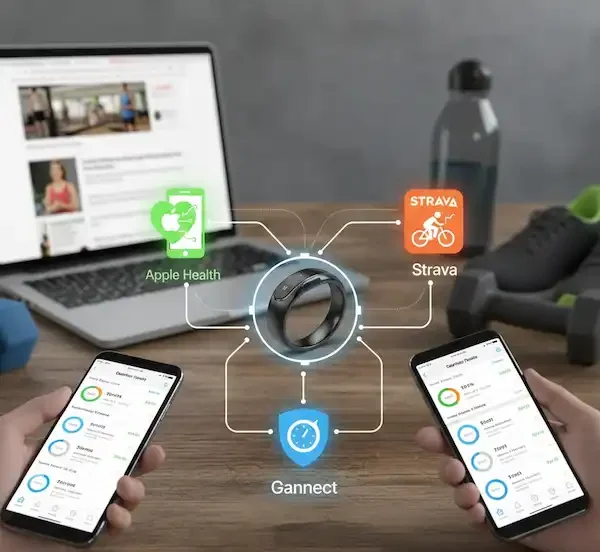
- Ring App Setup: Download and set up the companion app for your smart ring on your smartphone. This is where you’ll manage ring settings, update firmware, and often link it to other services.
- Enable 2FA on Services: For each online service (Google, Facebook, banking, etc.) you want to secure, go into its security settings and enable 2FA.
- Choose Your Method: Select the 2FA method that’s compatible with your smart ring. This might be “Security Key,” “Authenticator App,” or a specific smart ring integration if available.
- Pair Your Ring: Follow the on-screen instructions to pair your smart ring as a security key. This often involves tapping the ring to your phone or a specific device, or confirming via the ring’s app.
- Test It Out: Always test your 2FA setup to ensure it works correctly before relying on it completely.
Benefits of Using 2FA Security
Beyond 2FA, smart rings can contribute to your overall digital security posture:
- Continuous Authentication: Some advanced rings can continuously monitor biometric data to confirm the wearer’s identity, providing an ongoing layer of security for devices they are paired with. If the ring is removed or a different biometric signature is detected, the paired device could automatically lock.
- Passwordless Future: Smart rings are a key component in the move towards a passwordless future, where convenience and security are integrated seamlessly.
- Data Protection: By making authentication easier and more secure, smart rings help protect your sensitive data from unauthorized access.
Here’s a simple chart illustrating the security layers:
| Security Layer | Traditional Method | Smart Ring Method |
| Factor 1 (Know) | Password | Password |
| Factor 2 (Have) | SMS code, Authenticator App | Tap Ring (NFC), Gesture, Proximity |
| Factor 3 (Are) | Fingerprint (on device) | Fingerprint (on ring), Heart Rate, Biometrics |
| Convenience | Moderate | High |
| Security Level | Good | Excellent |
Looking Ahead: The Future of Smart Ring Security
The integration of smart rings into our security infrastructure is still in its early stages but holds immense promise. We can expect to see:
- Wider Adoption: More services will officially support smart ring authentication.
- Advanced Biometrics: Further development in on-ring biometric sensors for even more secure and seamless verification.
- Enhanced Interoperability: Better standards and protocols for smart rings to communicate with a broader range of devices and platforms.
- Enterprise Applications: Smart rings being used for secure access to corporate networks and systems.
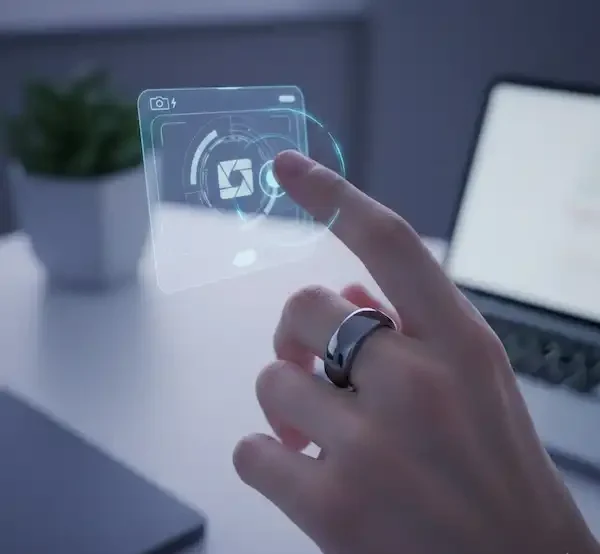
Here’s an illustrative image of a Smart Ring 2FA Security in action.
Additional Helpful Content: Protecting Your Smart Ring
While smart rings offer excellent security, it’s crucial to treat them as you would any other valuable security token:
- Keep it Updated: Ensure your smart ring’s firmware and its companion app are always up to date. Updates often include security patches.
- Strong PIN/Password: If your ring or its app requires a PIN or password, make it strong and unique.
- Lost/Stolen Protocol: Understand what to do if your smart ring is lost or stolen. Most rings have a way to remotely deactivate them or unlink them from services.
- Beware of Phishing: Even with a smart ring, always be cautious of phishing attempts that try to trick you into revealing your login credentials. Your ring will only authenticate when you directly initiate it.
Frequently Asked Questions (FAQ) – Smart Ring 2FA Security
Q: Are all smart rings capable of 2FA?
A: No, not all smart rings are designed for 2FA. Look for rings that specifically advertise features like NFC for security keys, biometric sensors, or integrations with authentication protocols.
Q: What happens if my smart ring runs out of battery?
A: This is a critical consideration. Ensure you have backup 2FA methods enabled for your important accounts (e.g., authenticator app codes, backup codes). Most services allow multiple 2FA options.
Q: Is a smart ring more secure than an SMS code for 2FA?
A: Generally, yes. SMS-based 2FA is vulnerable to SIM-swapping attacks. A smart ring acting as a physical security key or using biometrics is significantly more resistant to these types of attacks.
Q: Can someone else use my smart ring for authentication if they steal it?
A: This depends on the ring’s security features. If the ring uses biometrics (fingerprint, heart rate), it would be very difficult for someone else to use it. Even without biometrics, many rings require a physical tap or a gesture, and you should always have backup methods enabled to revoke access if stolen.
Q: What services currently support smart ring 2FA?
A: This is evolving rapidly. Many services that support FIDO U2F/WebAuthn security keys can be compatible with smart rings that act as such. Google, Microsoft, Facebook, and many financial institutions are increasingly supporting these standards. Check the specific security settings of the services you use.
Additional Helpful Links
- Resolve NFC connection problems – Smart Ring NFC Connection Problems – How to Fix?
External Links for Authoritative Sources:
- FIDO Alliance: https://fidoalliance.org/ (Learn about passwordless authentication standards like FIDO U2F and WebAuthn, which many smart rings utilize.)
- National Institute of Standards and Technology (NIST): https://www.nist.gov/ (For comprehensive information on cybersecurity best practices and authentication standards.)
- Cybersecurity & Infrastructure Security Agency (CISA): https://www.cisa.gov/ (Government resources on enhancing cybersecurity.)