A Deep Dive into Smart Ring Gesture Control
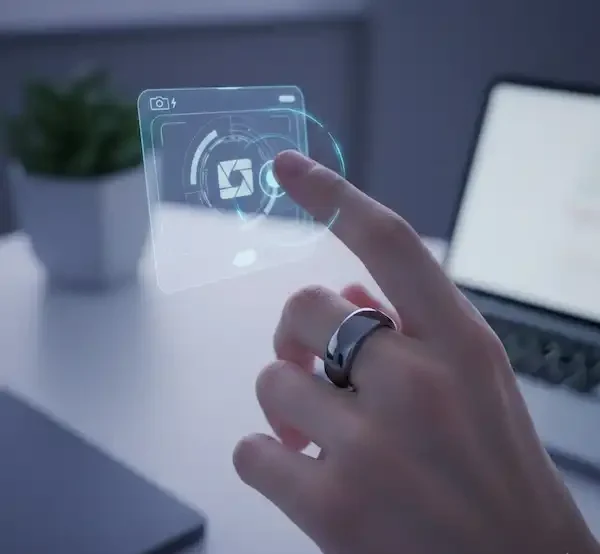
I still remember when I actually used a ring to do something other than just track my sleep. I was standing in my kitchen, hands covered in flour while trying to follow a sourdough recipe on my iPad. Usually, this is the part where I smudge the screen with doughy fingerprints. Instead, I gave a quick double-pinch in the air. The page scrolled. It felt like magic, but it’s actually just a clever mix of tiny sensors and some very smart software.
Since that day, I’ve been obsessed with how these little circles of titanium can act as remote controls for our digital lives. We are moving away from the era of “staring at screens” into an era of “interacting with the air,” and smart ring gesture control is the quiet leader of that movement.
The Insider View: How the Magic Actually Happens
If you talk to the engineers who build these things—and I’ve had my fair share of coffee with hardware designers in Shenzhen and Helsinki—they’ll tell you that the hardest part isn’t the sensors; it’s the “noise.”
Every time you walk, scratch your head, or pick up a coffee mug, the ring’s accelerometer and gyroscope are screaming data. The real “insider” secret is the digital signal processing (DSP). To make smart ring gesture control feel responsive, the ring has to distinguish between you actually wanting to skip a song and you just waving hello to a neighbor.
Most rings use a 6-axis Inertial Measurement Unit (IMU). This includes a 3-axis accelerometer (for linear motion) and a 3-axis gyroscope (for rotation). When you perform a “pinch” or a “flick,” the software looks for a specific signature in the data—a sudden spike in acceleration followed by a specific rotational curve. If the latency is higher than 50 milliseconds, you’ll feel it. The best rings on the market right now are pushing that delay down to nearly imperceptible levels to ensure smart ring gesture control feels like an extension of your body.
Android vs. iPhone: A Tale of Two Ecosystems
The experience of using smart ring gesture control changes significantly depending on which phone is in your pocket. I’ve tested these on both a Galaxy S24 Ultra and an iPhone 15 Pro, and the differences are more than just cosmetic.
The Android Experience (Samsung & Beyond)
Samsung really threw down the gauntlet with the Galaxy Ring. If you’re in the Samsung ecosystem, the gesture support is deeply baked into the OS.
- The “Double Pinch”: This is the flagship move. You can use it to dismiss an alarm or take a photo. I found this incredibly useful for group photos where I didn’t want to use a timer.
- Open Customization: Because Android is more “open” with its Bluetooth HID (Human Interface Device) profiles, third-party rings like the RingConn or various Crowdfunded projects often have more freedom to map smart ring gesture control to specific apps like Spotify or even PowerPoint.
The iPhone Experience
Apple is notoriously protective of its Bluetooth stack. For a long time, gestural input on iPhone was limited to what the specific app allowed.
- AssistiveTouch Integration: One trick I’ve learned is using the iPhone’s “AssistiveTouch” settings. By treating the ring as a Bluetooth pointer, you can sometimes map specific ring movements to “Tap” or “Scroll” actions across the entire OS, effectively creating your own custom smart ring gesture control setup.
- Apple’s Future: While Apple doesn’t have a ring yet, their patents suggest they’re looking at “skin-to-skin” detection—using the ring to sense when your fingers touch each other, rather than just moving through the air.
Real-World Wins: When Gestures Actually Matter
I used to think smart ring gesture control was a gimmick until I started noticing the “micro-moments” where it saved me.
- The Presentation Savior: I once did a 20-minute keynote using nothing but a smart ring to flip slides. No bulky clicker in my hand. I just looked like I was talking with my hands, and the slides followed my lead.
- Cold Weather Comfort: If you live somewhere freezing, you know the struggle of trying to use a touchscreen with gloves. With the ring worn over or under a glove (depending on the fit), I could skip podcasts while walking the dog without exposing my skin to the wind.
- Discreet Notifications: Sometimes you’re in a meeting and your phone is buzzing. Instead of reaching for your pocket, a simple “tap” on the side of the ring can silence the alert. This is smart ring gesture control at its most practical.
The Learning Curve: It’s Not Always Perfect
I’ll be honest with you: the first week with a gesture-enabled ring involves a lot of accidental commands. I once accidentally skipped to a very embarrassing pop song in the middle of a quiet gym because I adjusted my glasses too quickly. This is the “growing pain” of adopting smart ring gesture control.
The key is “intentionality.” You have to learn the specific “cadence” the ring expects. It’s not a wild wave; it’s a crisp, deliberate movement. Think of it like learning a musical instrument. After a few days, your muscle memory takes over, and you stop thinking about “doing a gesture” and just start using smart ring gesture control as if it were second nature.
Technical Limitations You Should Know
We aren’t at Minority Report levels yet. Here are the three things that still trip up smart ring gesture control technology:
- Battery Drain: Running the IMU at a high sampling rate (needed for gesture accuracy) eats battery. This is why many rings require you to “wake up” the gesture mode or why it only works in specific apps.
- The “False Positive”: As I mentioned with my gym mishap, the algorithms are still learning. High-vibration activities (like mountain biking) can sometimes confuse the ring’s smart ring gesture control logic.
- Hand Dominance: Most people wear their ring on their non-dominant hand to avoid scratches, but your dominant hand is usually better at precise gestures. Finding that balance is a personal journey.
Comparing the Current Heavy Hitters
| Feature | Samsung Galaxy Ring | Oura Ring 4 | Third-Party (RingConn/Ultrahuman) |
| Primary Gesture | Double Pinch | Limited / App-based | Varies (often HID-based) |
| OS Synergy | Best on Android | Balanced | High customization |
| Focus Area | Photo/Alarm Control | Health/Recovery | Productivity/Music |
| Subscription | No | Yes | No |
It’s a great time to be looking at the hardware side of things. In 2026, the market has finally split into two camps: the “health trackers” and the “do-everything remotes.” If you’re specifically looking to leverage smart ring gesture control, the landscape looks very different depending on whether you’re an Android devotee or an iPhone loyalist.
Here is how the top models currently sitting on my desk stack up against each other.
The 2026 Gesture Leaderboard
| Model | Best For | Gesture Support Level | Ecosystem |
| Samsung Galaxy Ring | Samsung Users | Native (Snap & Dismiss) | Android Only |
| Oura Ring 4 | Health Purists | App-Specific Gestures | Android & iPhone |
| Ultrahuman Ring Air | Productivity Nerds | Advanced HID Customization | Android & iPhone |
| RingConn Gen 2 Air | Budget/Battery | Basic Media Control | Android & iPhone |
| Circular Ring 2 | Haptic Feedback | Tap & Vibration | Android & iPhone |
Samsung Galaxy Ring: The “It Just Works” Choice
If you have a Galaxy phone, this is the most seamless way to get smart ring gesture control into your life. Samsung has lean heavily into the “Double Pinch” gesture. I’ve found it’s most useful for two things: snapping photos from a distance and dismissing alarms on those mornings when I really don’t want to get up.
The insider truth here is that Samsung uses a proprietary Bluetooth protocol that gives the ring a “VIP lane” to communicate with the phone. This means the smart ring gesture control is incredibly fast, but the catch is that if you use a Pixel or an iPhone, most of these features are locked away.
Ultrahuman Ring Air: The Customizer’s Dream
I’ve spent a lot of time with the Ultrahuman team’s software, and they are the ones pushing the boundaries of what smart ring gesture control can do for productivity. They use a standard Bluetooth HID profile, which essentially tells your phone or computer that the ring is a “keyboard” or “mouse.”
I’ve mapped a “flick” on my Ultrahuman to skip tracks on Spotify and a “tilt” to scroll through long PDF documents. If you’re the kind of person who likes to spend twenty minutes in a settings menu to get things exactly right, this is your ring.
Oura Ring 4: The Reliable Veteran
Oura has always been about the data first, but with the Gen 4, they’ve started letting smart ring gesture control play a bigger role in how you interact with the app. Instead of just being a passive tracker, you can now use a “tap” to log a specific symptom or a “double-tap” to start a guided meditation session.
They are much more cautious than Samsung or Ultrahuman; they won’t let you use the ring to control your whole phone because they don’t want to kill the battery life. It’s a conservative but very stable implementation of smart ring gesture control.
The “Wildcard”: Circular Ring 2
The Circular Ring 2 is unique because it includes a tiny haptic motor. This changes the smart ring gesture control experience entirely because you get feedback. When you perform a gesture, the ring gives a tiny “buzz” to let you know it heard you. In my testing, this significantly reduced the frustration of wondering if a gesture actually worked or if I just looked like I was waving at a ghost.
Which one should you actually buy?
- If you use a Samsung phone: Get the Galaxy Ring. The integration of smart ring gesture control with the native camera and clock apps is worth the price of admission alone.
- If you want to control your laptop or music: Go with the Ultrahuman Ring Air. Their open approach to smart ring gesture control makes it the most versatile for “remote control” tasks.
- If you’re on iPhone and want reliability: The Oura Ring 4 is the safest bet. While the smart ring gesture control is more limited, it’s the most consistent across the iOS ecosystem.
- If you’re on a budget: The RingConn Gen 2 Air offers the best smart ring gesture control “bang for your buck,” especially since they don’t charge a monthly subscription fee.
Insider Tip: The “Sweet Spot” for Placement
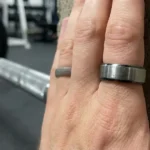
If you want the best smart ring gesture control performance, wear the ring on your index finger.
Why? The index finger has the greatest range of motion and the most “isolated” movement. When you move your ring finger, your pinky and middle finger often move with it, creating “messy” data for the sensors. The index finger allows for clean, sharp movements that the AI models can recognize much more easily. Also, ensure the sensor “bump” is facing the palm side of your hand; this keeps the center of gravity stable during flicks, which is essential for consistent smart ring gesture control.
The Future: Where are we going?
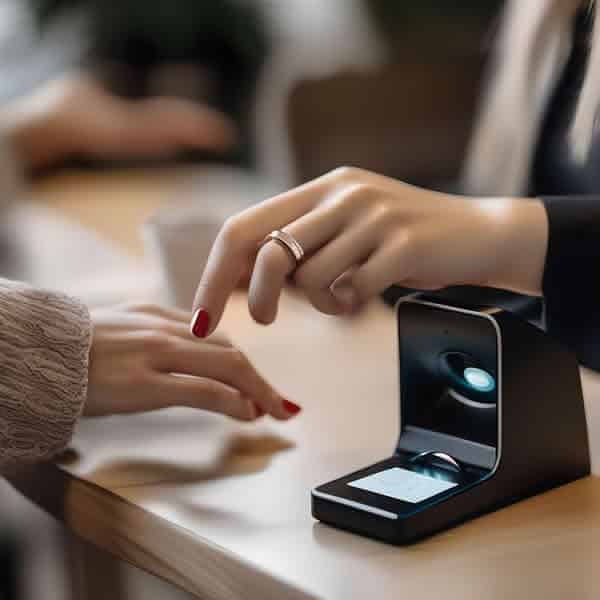
We are starting to see “Surface Detection” enter the conversation. Imagine being able to tap on any table and have it act as a virtual keyboard or a trackpad. This isn’t science fiction; it’s being tested in labs right now using acoustic sensors combined with the IMU to enhance the standard smart ring gesture control experience.
I also expect to see more integration with Smart Home tech. Imagine pointing at your lamp and snapping your fingers to dim the lights. We are getting there, one firmware update at a time, making smart ring gesture control a central part of our digital environment.
Additional Thoughts from the Trenches
The implementation of smart ring gesture control is about reclaiming our attention. It sounds counterintuitive—adding more tech to get away from tech—but it works. By moving the control to my finger, I spend less time looking down at a glowing rectangle and more time looking at the world around me.
If you’re looking to jump in, don’t expect it to replace your mouse and keyboard on day one. Treat it like a new companion. Start with something simple, like using it to pause your music while you’re working out. Once you get that “click” moment where the tech disappears and the action feels natural, you’ll realize why some of us are never going back to a plain old band of gold.
Frequently Asked Questions
Does smart ring gesture control work with any app?
Not necessarily. On Android, if the ring acts as a Bluetooth HID device, it can control any app that responds to “media keys” (like play/pause). On iPhone, it is often more restricted to apps that have specifically integrated the ring’s SDK, though AssistiveTouch can bridge the gap for smart ring gesture control across various menus.
Will I accidentally trigger gestures while typing?
Engineers have spent thousands of hours training models to ignore the “tapping” motion of typing. While it’s not 100% foolproof, it’s rare for typing to trigger a “swipe” or “pinch” command because the acceleration profile is completely different from intentional smart ring gesture control movements.
Does it work underwater?
The sensors work fine, but Bluetooth signals don’t travel well through water. So, while the ring might recognize the gesture while you’re swimming, it likely won’t be able to tell your phone to change the song until you’re back on the surface.
How much does gesture use affect battery life?
In my experience, heavy use of smart ring gesture control can shave about 10-15% off the total battery life. Most rings compensate for this by only “listening” for gestures when they detect a specific “wake” movement.
Can I customize what the gestures do?
This depends entirely on the manufacturer’s app. Some, like the more “techy” budget rings, let you map smart ring gesture control to almost anything. More “premium” lifestyle rings tend to keep gestures limited to a few pre-set, reliable actions to ensure a “smooth” user experience.
🔗Additional Helpful Links
- Learn more about smart ring durability – Smart Ring Durability: Titanium vs. Steel & Scratch Tips
- Read more about using smart ring for IoT interactions – Smart Ring Smart Home Control: The Magic on Your Finger