Smart Ring Troubleshooting and Fixes, Oura, Samsung, UltraHuman

Mastering Your Tech: Smart Ring Troubleshooting and Fixes

I remember the first night I wore a smart ring. I was so excited to see my sleep stages that I didn’t even care about the slight bulk on my index finger. But by morning? The app wouldn’t sync. I spent two hours rebooting my phone, toggling Bluetooth, and resisting the urge to chuck the thing across the room. Since then, Iโ€™ve tested nearly every major player on the marketโ€”from the Oura Ring 4 to the Samsung Galaxy Ring and the Ultrahuman Ring Air.

Smart rings are incredible, but they are also tiny computers packed with sensitive PPG (photoplethysmography) sensors and microscopic Bluetooth antennas. When they act up, itโ€™s usually not a hardware failure; itโ€™s a communication breakdown. This guide covers everything Iโ€™ve learned from the inside to help you manage Smart Ring Troubleshooting and Fixes like a pro.


The Connection Game: Android vs. iPhone

One thing nobody tells you in the marketing materials is that Android and iOS handle background Bluetooth connections very differently. Iโ€™ve spent countless hours on tech support calls, and I can tell you that the “fix” depends entirely on which ecosystem you’re in. Mastering these nuances is a core part of Smart Ring Troubleshooting and Fixes.

Android Quirks: Battery Optimization is Your Enemy

If youโ€™re on a Samsung, Pixel, or Motorola, your phone is probably “killing” your smart ring app to save battery. This is the #1 reason for sync delays. Androidโ€™s “Doze” mode is aggressive. It sees a background app constantly pinging a Bluetooth device and assumes itโ€™s a rogue process.

  • The Fix: Go into your phone settings, find the “Apps” section, and locate your ring’s companion app. Set “Battery” to “Unrestricted.” This keeps the bridge open so your data flows in real-time.
  • Location Services: Here is a weird one: On many Android versions, Bluetooth scanning is tied to Location Permissions. If you turn off GPS to save juice, your ring might stop syncing. Make sure “Precise Location” is enabled for your ring app, even if you don’t care about mapping your walks. This is a common hurdle in Smart Ring Troubleshooting and Fixes.

iPhone Hurdles: The Bluetooth Toggle Trap

On iOS, the Control Center (the swipe-down menu) is deceptive. It doesn’t actually turn off Bluetooth; it just disconnects current accessories. If your ring is stuck in a pairing loop, the Control Center won’t help you with Smart Ring Troubleshooting and Fixes.

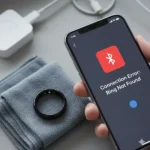
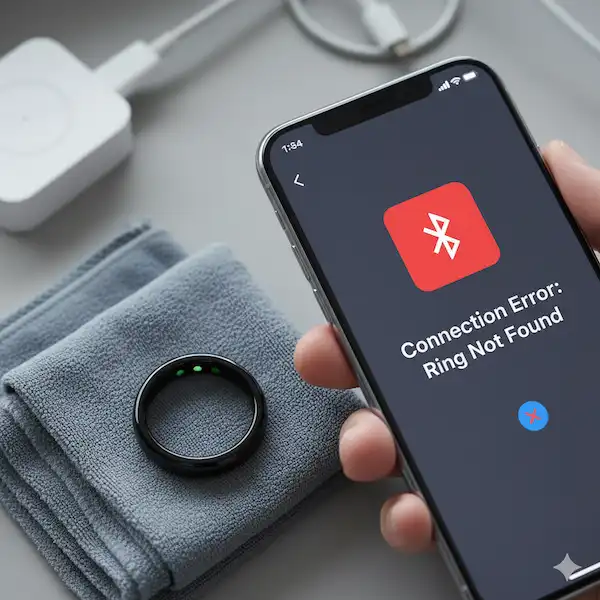
  • The Fix: If youโ€™re having “Ring Not Found” errors, go to the actual Settings > Bluetooth, toggle it off for 10 seconds, and then back on. This forced restart of the Bluetooth stack is often the only way to clear a hung handshake.
  • The Apple Health Sync Lag: Iโ€™ve noticed that after an iOS update, the Apple Health sync often “breaks.” You might see your steps in the ring app but not in HealthKit. You usually have to go into the ring app and re-toggle the “Write Data” permissions in the Health app to get it moving again. Apple is very protective of health data, and any OS update can trigger a security reset on those permissions. Effective Smart Ring Troubleshooting and Fixes often require checking these permissions first.

Battery Drain and Charging Mysteries

Itโ€™s a gut-punch when your ring, which is supposed to last 6 days, dies in 48 hours. I once had a ring that started draining overnight, and I thought the battery was toast. Here is the industry insider secret: Dirty contacts are responsible for 80% of battery issues.

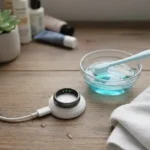
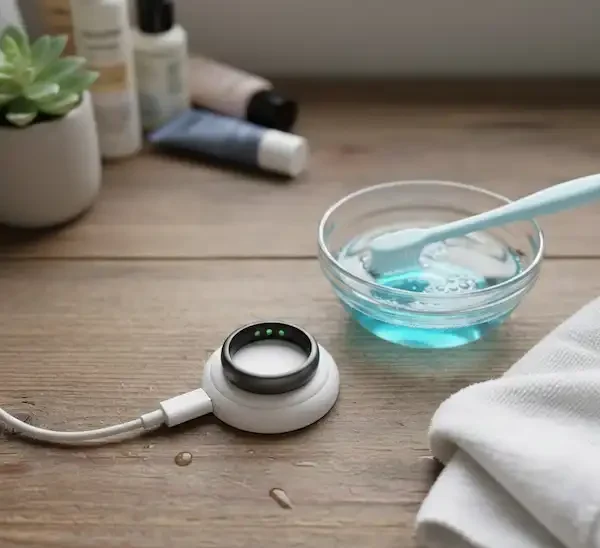
Smart rings don’t have USB ports. They rely on “pogo pins” or induction. Even if the ring looks clean, a microscopic layer of skin oils, dead skin cells, and soap residue can build up on those tiny gold charging pads. This creates electrical resistance. The ring “thinks” it’s charged because the voltage spikes under the resistance, but it hasn’t actually taken a full load. This is a frequent subject in Smart Ring Troubleshooting and Fixes.

Pro-Level Cleaning Routine

  • The Solution: Use a cotton swab with a tiny drop of 70% isopropyl alcohol. Clean the ringโ€™s internal pins and the dockโ€™s contact points. I do this once a week now. Youโ€™ll be shocked at the gray residue that comes off. Keeping the hardware clean is a proactive way to handle Smart Ring Troubleshooting and Fixes.
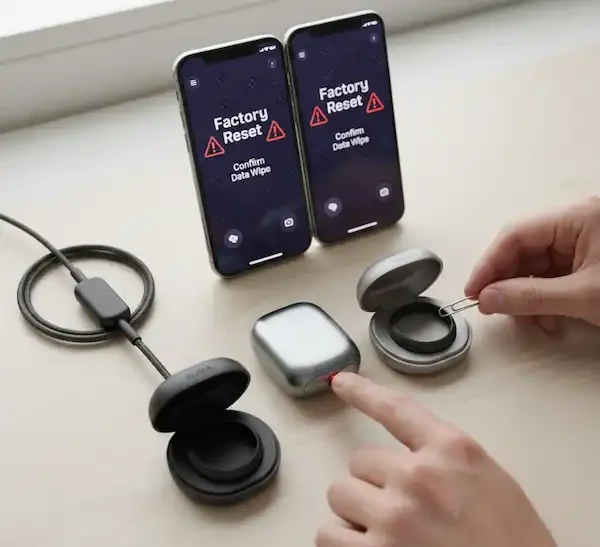
  • Firmware Loop: Sometimes, a failed firmware update gets stuck in a “retry” loop. The ring keeps trying to install the update in the background, which nukes the battery. If you notice heat or rapid drain, perform a factory reset via the app and re-pair. Itโ€™s a pain, but it clears the “ghost” processes that drain the lithium-polymer cell, a vital step in Smart Ring Troubleshooting and Fixes.

When the Sensors Lie: Fixing Accuracy Issues

We buy these for the data, so when your ring says you were awake for three hours when you were dead to the world, it’s frustrating. Or worse, when it says your heart rate was 140 bpm while you were watching Netflix. Sensor calibration is a major pillar of Smart Ring Troubleshooting and Fixes.

The Finger “Flip” and Positioning

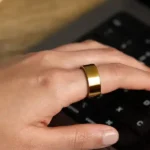
Most manufacturers recommend the index or middle finger. Why? These fingers have larger digital arteries closer to the skin surface. However, if your ring has a specific design like the Galaxy Ring, or sensor bumps like the Oura, orientation is everything.

  • The Rotation Problem: Iโ€™ve found that as we sleep, our fingers actually shrink slightly as body temperature drops. This causes the ring to rotate. If those PPG sensors rotate to the side or top of your finger, they can’t see your pulse.
  • The Fix: I started wearing a simple, thin silicone “ring sizer” band on the palm side during sleep if Iโ€™m between sizes. It adds just enough friction to keep the sensors locked against the artery. Also, always ensure the “alignment marker” (usually a small line or flat edge) is facing your palm. Getting the fit right is a huge part of Smart Ring Troubleshooting and Fixes.

Temperature and “Ghost” Data

I once had a user reach out because their ring showed they had a “fever” every morning. Turns out, they slept with their hand tucked under their pillow (and their head). The sensors were picking up trapped heat, not their actual basal body temperature. Understanding environmental variables is key for Smart Ring Troubleshooting and Fixes.

  • Environmental Factors: For accurate baselines, try to keep your hand outside the covers or in a consistent position. Also, if you have dark tattoos on your fingers, some PPG sensors (which use green or infrared light) might struggle to penetrate the ink. Shifting the ring to a “clear” finger usually solves it. Proper sensor placement is a vital part of Smart Ring Troubleshooting and Fixes.

Travel and Airplane Mode Glitches

When you cross time zones, your ring can get deeply confused. I once flew from New York to London, and my ring simply refused to record sleep. It was still trying to “find” the previous night’s window. This is where advanced Smart Ring Troubleshooting and Fixes come into play.

If you use Airplane Mode on your ring to save battery or reduce EMF during sleep, you must remember to turn it off correctly. If the ring stays in Airplane Mode, it won’t broadcast a Bluetooth signal, and your phone will think the ring is dead. To fix this, you usually have to place the ring on its charger. The charger acts as a “wake-up” call that overrides Airplane Mode. Knowing these hardware triggers is essential for Smart Ring Troubleshooting and Fixes.


Hardware Glitches: Resetting and Re-Pairing

Sometimes, the software just gets “tangled.” If your Smart Ring Troubleshooting and Fixes aren’t working with simple toggles, itโ€™s time for a hard reset. I call this the “nuclear option,” but it solves almost everything that isn’t physical damage.

  1. Unpair from Bluetooth: Don’t just delete the app. Go to your phoneโ€™s Bluetooth settings and “Forget this Device.” This is the first step in serious Smart Ring Troubleshooting and Fixes.
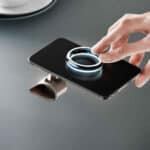
  2. The Dock Reset: Many rings have a physical reset hidden in the dock. For example, some require you to tap the ring on the dock three times or hold a button on the case for 10 seconds while the ring is seated.
  3. The “Airplane Mode” Hack: If youโ€™re traveling and the ring won’t sync, toggle Airplane Mode on the ring itself (if supported). This forces the radio to power-cycle, which often clears stubborn connection “handshakes” caused by switching between different cell towers or Wi-Fi networks. This is a reliable trick for Smart Ring Troubleshooting and Fixes.

The “Sizing vs. Signal” Relationship

One thing I learned from a developer at a major ring company is how much “signal noise” is generated by a poorly fitting ring. If the ring is too loose, light from the environment leaks into the sensor. This is called “optical crosstalk.” The ring then has to work twice as hard (using more battery) to filter out the ambient light to find your pulse. This highlights why sizing is so important in Smart Ring Troubleshooting and Fixes.

If your data looks “jagged” or “noisy,” your ring might be too big. If your finger swells at night (which is common), the ring might be too tight, which actually restricts blood flow and gives a false low heart rate reading. I always tell people: if you can rotate the ring with zero resistance, itโ€™s too big. If you need soap to get it off, itโ€™s too small. The “sweet spot” is a ring that moves with a firm tug but doesn’t spin freely. Finding the right fit is a silent hero in Smart Ring Troubleshooting and Fixes.


Comparing the Giants: Specific Brand Fixes

Oura Ring

If your “Readiness Score” isn’t updating, itโ€™s usually because the ring didn’t capture enough “Resting Heart Rate” (RHR) data. This happens if the ring was too loose that night. Oura requires at least 4 hours of solid data to calculate a score. If you see “gaps” in your HR graph, try moving the ring to your dominant hand for one night; sometimes the slight difference in finger thickness is all it takes for Smart Ring Troubleshooting and Fixes.

Samsung Galaxy Ring

This ring is brilliant but very sensitive to being used with non-Samsung phones. If youโ€™re on a Pixel or OnePlus and the “Find My Ring” feature isn’t working, itโ€™s likely a permission issue with the “Samsung Accessory Service” app. You have to manually grant that specific background app permission to “Always Allow” location. This is a classic case of Smart Ring Troubleshooting and Fixes in a cross-brand ecosystem.

Ultrahuman Ring Air

The Ultrahuman app is data-heavy. If the app feels laggy or crashes, clear the app cache (on Android) or offload and reinstall the app (on iOS). Their “PowerPlugs” (mini-apps within the app) can sometimes clash. If youโ€™re having issues, disable any extra plugins you aren’t using to streamline the data processing. This is a common part of Smart Ring Troubleshooting and Fixes for high-performance users.


Interpreting Error Logs and Insider Knowledge

If youโ€™ve tried all the standard Smart Ring Troubleshooting and Fixes and things still aren’t right, itโ€™s time to look at what the pros see. Most smart ring apps have a hidden “Export Data” or “Contact Support” feature that attaches a log file.

Inside these logs, youโ€™ll see terms like “RSSI” (Received Signal Strength Indicator). If your RSSI is lower than -90, your ring is struggling to talk to your phone through your own body or your phone case. Another term is “Packet Loss.” If this is high, your Bluetooth environment is too “noisy”โ€”likely from too many other smart devices in the room. Realizing that the environment is the problem, not the ring, is a breakthrough in Smart Ring Troubleshooting and Fixes.


The Hardware Reality: What You Can’t Fix

I hate to be the bearer of bad news, but sometimes the ring is just broken. Smart rings are encased in medical-grade resin or epoxy. This makes them waterproof but also impossible to repair. When you reach this point, Smart Ring Troubleshooting and Fixes transition into warranty management.

  • The “Tap” Test: If your ring isn’t responding, tap it firmly on a hard surface (not hard enough to crack it, but a solid flick). Occasionally, the tiny ribbon cable inside can have a loose connection, and a physical jar can temporarily reseat it. If this works, back up your data and contact support immediatelyโ€”it’s a sign of impending hardware failure.
  • Water Damage: Even though they are rated for 50m or 100m, hot tubs and salt water are ring-killers. The heat from a hot tub can expand the outer shell just enough to let steam past the seals. If your ring starts acting crazy after a spa day, put it in a bowl of silica gel (not rice!) for 48 hours. This is an advanced step in Smart Ring Troubleshooting and Fixes.

Advanced Insider Knowledge: The “Firmware Rollback” Myth

Youโ€™ll see people on Reddit claiming they “rolled back” their firmware to fix battery drain. In the smart ring industry, this is almost impossible for consumers to do. Once that code is flashed to the tiny NOR flash memory in the ring, itโ€™s there to stay.

If a new update ruins your experience, don’t waste time trying to “hack” it. Reach out to support immediately. Most companies have “Remote Diagnostics.” They can see the voltage drops and “error logs” in your ring from their servers. When I had a faulty ring, they saw the hardware error in my logs before I even finished explaining the problem and shipped a replacement the same day. Understanding these backend logs is a key part of how the pros handle Smart Ring Troubleshooting and Fixes.


Thoughts from a Long-Time Wearer

At the end of the day, a smart ring is a companion, not a medical device. If you find yourself obsessing over a 2% difference in sleep data or a temporary sync glitch, take the ring off for a day. Iโ€™ve found that most Smart Ring Troubleshooting and Fixes are solved by simply giving the hardware a “rest” on the charger and clearing your phone’s Bluetooth cache.

Iโ€™ve been through the “broken ring” cycle three times now. Each time, it felt like a disaster, but the tech is still relatively new. We are essentially the beta testers for the future of wearable tech. Treat the ring with a bit of careโ€”keep it clean, don’t drop it on tile floors, and keep your app updatedโ€”and it will give you years of great data. Consistent maintenance is the best approach to Smart Ring Troubleshooting and Fixes.

For more technical deep-dives, I always recommend checking out The Quantified Scientist for accuracy benchmarks or the Oura Help Center for specific error codes. If you’re looking for the best sub-reddit for crowd-sourced fixes, the r/SmartRings community is incredibly active and helpful.

Remember, technology is meant to work for you, not the other way around. Keep those sensors clean, keep your app permissions open, and youโ€™ll spend less time on Smart Ring Troubleshooting and Fixes and more time actually improving your health. When you approach Smart Ring Troubleshooting and Fixes with patience, you get much better results.


Troubleshooting and Fixes FAQ

Q: Why does my smart ring disconnect when I walk into another room? A: Bluetooth Range. These rings have tiny antennasโ€”they have to, otherwise they’d be the size of a donut. While a phone might reach 30 feet, a ring often struggles past 10-15 feet. Keep your phone on your person for consistent syncing. This is one of the most basic Smart Ring Troubleshooting and Fixes.

Q: Can I wear my ring while lifting weights or at the gym? A: I strongly advise against it. Beyond the scratching, the pressure of a barbell can temporarily “pinch” the sensors away from your skin. This leads to massive gaps in your heart rate data. Plus, the mechanical stress can actually bend the internal circular PCB. If you must wear it, use a lifting glove. This is a preventative measure for Smart Ring Troubleshooting and Fixes.

Q: My ring feels hot while charging. Is that normal? A: A little warmth is fineโ€”charging batteries generates heat. But if it feels “hot” to the touch, that’s a red flag. This usually means the charging pins are misaligned or there’s a tiny piece of metal stuck in the magnetic dock. Unplug it immediately, clean everything, and try again. This is a critical safety aspect of Smart Ring Troubleshooting and Fixes.

Q: How do I know if my ring is actually dead or just “sleeping”? A: Most rings enter a “Deep Sleep” or “Power Reserve” mode if they aren’t worn for 24-48 hours. This is to protect the battery from hitting 0%. Placing it on the charger for 10 seconds usually “wakes” the Bluetooth radio. If the lights on the inside don’t flash when you pick it up, itโ€™s likely in this deep sleep mode, requiring standard Smart Ring Troubleshooting and Fixes.

Q: Does the weather affect my ringโ€™s accuracy? A: Absolutely. In cold weather, your body pulls blood away from your extremities to keep your core warm (vasoconstriction). This makes it harder for the light-based sensors to “see” your pulse. If itโ€™s freezing out, keep your hands in your pockets to ensure the ring can still get a clear reading. This environmental awareness is part of Smart Ring Troubleshooting and Fixes.

Q: Why is my step count different than my Apple Watch or Garmin? A: Every company uses a different algorithm. Rings tend to over-count “hand movements” (like washing dishes or typing) as steps. Don’t sweat the small differences; look at the weekly trends instead. Understanding these algorithmic differences is part of Smart Ring Troubleshooting and Fixes.


Additional Helpful Links

References & Technical Support:

Scroll to Top